


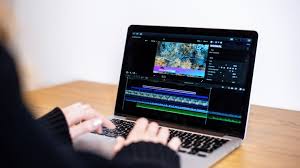
Source Filmmaker (SFM) is a powerful animation tool developed by Valve Corporation, widely used by creators to craft stunning 3D animations and short films using assets from games like Team Fortress 2, Dota 2, and Half-Life. At the heart of producing polished, professional-grade animations in SFM lies the compilation process, often referred to as the “SFM compiler.” This critical step transforms raw assets—such as models, textures, and animations—into formats compatible with the Source engine, ensuring smooth rendering and playback. Whether you’re a beginner dipping your toes into SFM or an experienced animator looking to streamline your workflow, understanding the SFM compiler is essential for bringing your creative visions to life.
In this blog post, we’ll dive deep into the SFM compiler, exploring what it is, why it matters, and how to use it effectively. We’ll cover the tools, workflows, best practices, and troubleshooting tips to help you master the compilation process and create high-quality animations without frustration. By the end, you’ll have a clear roadmap to leverage the SFM compiler for your projects, along with practical advice to avoid common pitfalls.
What is the SFM Compiler?
The SFM compiler refers to the process and tools used to convert raw assets into formats that Source Filmmaker and the Source engine can understand. Think of it as the bridge between your creative work in 3D software (like Blender, Maya, or 3ds Max) and the final, polished output in SFM. Compilation involves transforming files like 3D models (.smd or .dmx), textures, and animations into engine-friendly formats such as .mdl (model), .vtx (vertex data), .vvd (vertex animation data), and .phy (physics data). For textures, it means converting images into Valve Texture Format (.vtf) and pairing them with Material Files (.vmt).
Without proper compilation, your assets may not load correctly, resulting in issues like missing textures, broken models, or even crashes in SFM. The compiler ensures that all elements—models, textures, lighting, and animations—work harmoniously to produce a shareable video or image sequence. This process is crucial for optimizing performance, enhancing visual quality, and ensuring compatibility across platforms.
Why is the SFM Compiler Important?
The SFM compiler plays a pivotal role in the animation pipeline for several reasons:
- Final Output: Compilation transforms your project into a format suitable for rendering and sharing, such as an MP4 video or image sequence. Without it, your work remains confined to SFM’s editor, unusable for distribution.
- Visual Quality: The compiler optimizes lighting, shadows, and textures to ensure maximum visual fidelity. High-quality rendering settings during compilation can make your animations look professional and polished.
- Performance Optimization: By culling unnecessary data, the compiler reduces file sizes, making your animations run smoothly and efficiently, even on modest hardware.
- Professionalism: A well-compiled project demonstrates attention to detail, which is essential for portfolios, film festivals, or collaborative projects.
Skipping or mishandling the compilation process can lead to errors like missing textures, animation glitches, or laggy playback, which can derail your project and frustrate your audience.
Tools Needed for SFM Compilation
To compile assets effectively for SFM, you’ll need a suite of tools. Here’s a rundown of the essentials:
- Source Filmmaker (SFM): The core software where you create and compile your animations. Install it via Steam and keep it updated for the latest features and bug fixes.
- Crowbar: A popular third-party tool for compiling models into .mdl format. It’s user-friendly and widely used in the SFM community for handling .qc scripts.
- VTFEdit: A tool for converting textures into .vtf format and creating .vmt files to define material properties like shaders and effects.
- Blender Source Tools: If you’re creating or editing models in Blender, this add-on allows you to export them as .smd or .dmx files, which are compatible with SFM.
- Notepad++ or Visual Studio Code: A reliable text editor for writing and editing .qc scripts, which guide the compiler in processing models.
- Source SDK: Valve’s software development kit, which includes tools like GUIStudioMDL for compiling models and Hammer Editor for map compilation.
- Version Control (e.g., Git): Useful for tracking changes to your assets and scripts, especially in collaborative projects.
Having these tools ready and understanding their roles will streamline your compilation workflow and reduce errors.
Step-by-Step Guide to Using the SFM Compiler
Here’s a detailed, step-by-step guide to compiling assets in SFM, covering both model compilation and rendering a final video.
Step 1: Organize Your Assets
Before compiling, ensure your assets are well-organized. Create separate folders for models, textures, and scripts, using clear names like “hero_model” or “forest_texture.” A typical folder structure might look like this:
usermod/
├── models/
│   └── mymodel/
│       └── mymodel.smd
├── materials/
│   └── models/
│       └── mymodel/
│           ├── texture1.vtf
│           └── texture1.vmt
├── scripts/
│   └── mymodel.qc
Proper organization prevents issues like missing textures or broken file paths.
Step 2: Create or Edit Your Model
Design your 3D model in software like Blender, Maya, or 3ds Max. Ensure clean topology, proper scaling, and correct pivot points to avoid positioning issues in SFM. Export the model as an .smd or .dmx file using add-ons like Blender Source Tools.
Step 3: Write a QC Script
A .qc file is a script that tells the compiler how to process your model. It defines the model’s name, textures, animations, and collision properties. Here’s a basic example of a .qc file:
$modelname "mymodel.mdl"
$cdmaterials "materials/mymodel/"
$body mymodel "mymodel.smd"
$sequence idle "idle.smd"
$collisionmodel "mymodel_phy.smd"
Save this file in your scripts folder and ensure all referenced paths are correct.
Step 4: Compile the Model
Open Crowbar, load your .qc file, and set the output folder (e.g., usermod/models/mymodel/). Click “Compile” and wait for the process to generate .mdl, .vtx, .vvd, and .phy files. Move these files to your SFM models directory.
Step 5: Test in SFM
Launch SFM, load your model, and check for issues like missing textures, animation glitches, or scaling problems. Test small sections first to catch errors early.
Step 6: Compile the Animation
Once your scene is ready in SFM, with animations, lighting, and cameras set, it’s time to compile the final output. Go to the File menu and select Export Movie. In the render settings window, choose:
- Resolution: 1080p or 4K, depending on your needs.
- Frame Rate: 24fps for cinematic looks or 60fps for smoother playback.
- Output Format: MP4 for direct video or image sequence for post-processing.
- Quality Settings: Enable high-quality lighting and shadow rendering for polished results.
Click “Export” to start the rendering process. The compiler will process each frame, encode the output, and save it to your specified folder.
Optimizing Your SFM Compilation Workflow
To supercharge your compilation process, consider these advanced tips:
- Use Batch Files: Automate repetitive tasks by creating batch files to run multiple compilations overnight. This reduces human error and saves time.
- Leverage Compiler Flags: Use flags like -threads 4 or -verbose in Crowbar to optimize performance or generate detailed logs for troubleshooting. For example:
studiomdl -threads 8 -verbose mymodel.qcAdjust the number of threads based on your CPU’s capabilities. - Optimize Assets: Reduce texture sizes and simplify models to speed up compilation and rendering. For example, use lower-resolution textures for previews and high-resolution ones for final renders.
- Test Frequently: Compile small sections of your project regularly to catch issues early, such as missing textures or incorrect bone structures.
- Engage with the Community: Join SFM forums, Discord servers, or subreddits to share .qc files, get feedback, and learn from experienced creators. The SFM Compile Club and Steam Community SFM Group are great places to start.
Troubleshooting Common SFM Compiler Issues
Even with careful preparation, compilation errors can occur. Here are common issues and their solutions:
- Missing Textures: Ensure all textures are in .vtf format and placed in the correct folder (e.g., materials/models/mymodel/). Double-check .vmt file paths in your .qc script.
- Animation Glitches: Verify bone structures and sequence definitions in your .smd or .dmx files. Re-export if necessary.
- Compile Crashes: Update your compiler (e.g., Crowbar or Source SDK) to the latest version. Check logs for specific error messages, such as missing dependencies.
- Lag or Stuttering: Optimize assets by reducing polygon counts or texture resolutions. Use lower-quality settings for test renders.
- Side-by-Side Configuration Errors: This error often indicates a missing or outdated Visual C++ Redistributable. Install or update it from Microsoft’s website.
Advanced Techniques for SFM Compilation
For experienced creators, diving into advanced .qc script options can enhance your models’ behavior. For example:
- $attachment: Add custom attachment points for props or effects, like weapons or particles.
- $lod: Create level-of-detail models to improve performance at different distances.
- $sequence: Define complex animation sequences for smoother playback.
Additionally, experiment with volumetric lighting or ambient occlusion to add a cinematic feel without overloading the compiler. Balance light intensity and texture resolution for optimal results.
Eco-Friendly SFM Compilation
Did you know that SFM compilation can be eco-friendly? Digital animation eliminates the need for physical sets or travel, reducing your carbon footprint. Optimize models to lower processing power, saving energy during renders. Use energy-efficient hardware, like modern GPUs and SSDs, to speed up compilation while consuming less power. Share files digitally instead of printing to keep your workflow green.
Conclusion
Mastering the SFM compiler is a game-changer for Source Filmmaker creators. By understanding the compilation process, using the right tools, and following best practices, you can transform raw assets into stunning, professional-grade animations. Organize your files, test frequently, and leverage community resources to streamline your workflow and avoid common pitfalls. Whether you’re creating short films, game trailers, or portfolio pieces, the SFM compiler empowers you to bring your creative visions to life with precision and flair.
