


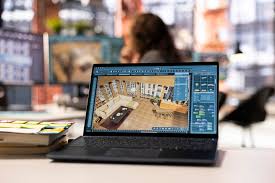
In the modern world of digital design, architects, engineers, and designers are constantly searching for faster, smarter, and more collaborative ways to work. AutoCADWS.com emerged as one of the first major steps toward cloud-based CAD solutions, transforming how professionals access, edit, and share their designs.
This platform, once tied closely to AutoCAD Web and AutoCAD mobile apps, represented the dawn of online design collaboration. In this post, we’ll explore everything you need to know about AutoCADWS.com, its features, advantages, how it evolved into Autodesk’s web-based ecosystem, and what it means for the future of CAD design.
What Is AutoCADWS.com?
AutoCADWS.com was a web-based service created by Autodesk, the company behind the industry-leading AutoCAD software. The website served as a portal for users to upload, edit, and share AutoCAD drawings (DWG files) directly through their web browsers without the need for a full desktop installation.
In simpler terms, AutoCADWS.com made it possible to work on CAD files anywhere, anytime, using just an internet connection. This was a revolutionary idea when it launched — a cloud CAD environment that gave designers flexibility like never before.
The “WS” in AutoCADWS.com stood for Web Services, emphasizing its online-first nature.
The Purpose Behind AutoCADWS.com
Before cloud technology became mainstream, most design professionals were tied to desktop software. Sharing files required emails, USB drives, or local servers. Collaboration was slow, and working remotely was nearly impossible without remote desktop access.
Autodesk launched AutoCADWS.com to solve these pain points by introducing:
- Online accessibility – View and edit CAD drawings directly from a browser.
- Cloud collaboration – Share drawings securely with clients or team members.
- Cross-platform functionality – Access files from computers, tablets, and smartphones.
- Version control – Automatically save and track changes made by multiple users.
This move represented the transition from traditional CAD to connected design systems, a concept that has since evolved into today’s AutoCAD Web platform.
How AutoCADWS.com Worked
When users visited AutoCADWS.com, they could sign in with their Autodesk account and immediately start working with their designs. The process involved a few simple steps:
- Upload DWG or DXF files to the cloud.
- Open the files directly in the browser using AutoCAD’s web-based editor.
- Use familiar CAD tools to view, annotate, or modify designs.
- Collaborate by sharing links or inviting others to view or edit.
- Save changes automatically in the cloud for future access.
The simplicity and power of AutoCADWS.com made it an ideal choice for design professionals looking to streamline workflows.
Features That Made AutoCADWS.com Stand Out
The platform was designed with usability and collaboration at its core. Some of the standout features included:
1. Real-Time Collaboration
AutoCADWS.com allowed multiple users to view and edit drawings simultaneously. This meant that architects, engineers, and clients could review changes instantly, reducing feedback loops.
2. Cloud Storage and Access
Instead of relying on local drives, files were stored securely in the cloud. Users could log in from any device and continue where they left off — a feature that made mobile work possible.
3. Integrated AutoCAD Tools
The web platform offered essential CAD tools like line drawing, measurement, dimensioning, and text annotation. While not as powerful as the full desktop version, it provided all the basics needed for quick edits and reviews.
4. Compatibility Across Devices
Whether using a Windows PC, Mac, iPad, or Android device, AutoCADWS.com synced drawings seamlessly. This universal accessibility was a game-changer for teams with diverse hardware.
5. Easy File Sharing
Users could share files with stakeholders by simply sending a secure link. Permissions could be controlled to allow view-only or edit access, ensuring data safety.
6. Revision History
Every change was automatically saved, and users could revert to previous versions when needed. This built-in version history prevented accidental overwrites or data loss.
The Evolution of AutoCADWS.com
Over time, Autodesk refined its cloud technologies and rebranded AutoCADWS.com into what is now known as AutoCAD Web App and AutoCAD Mobile App.
Here’s how the transformation happened:
- AutoCAD WS → AutoCAD 360 → AutoCAD Web & Mobile
- The original AutoCADWS.com domain was integrated into Autodesk’s main ecosystem.
- The AutoCAD 360 brand expanded features for professional users.
- Eventually, Autodesk merged its web and mobile platforms under the AutoCAD Web umbrella.
Despite the name change, the essence of AutoCADWS.com — cloud accessibility, collaboration, and simplicity — remains at the heart of Autodesk’s modern CAD strategy.
Benefits of Using Cloud-Based CAD Platforms Like AutoCADWS.com
While technology has evolved, the principles that guided AutoCADWS.com continue to define online CAD platforms. Here are the core benefits:
1. Work Anywhere, Anytime
Cloud access removes physical limitations. Designers can work from the office, home, or even a client’s site without carrying heavy laptops or hard drives.
2. Simplified Collaboration
Cloud-based CAD enables multiple team members to contribute in real time, reducing the back-and-forth of file sharing.
3. No Need for High-End Hardware
Running AutoCAD on the web means users don’t need powerful workstations. The processing happens in the cloud, allowing even mid-range laptops to handle large drawings.
4. Always Up to Date
Since it’s web-based, users always have access to the latest features and security patches without manual updates.
5. Secure Data Backup
AutoCADWS.com and its successors use encrypted storage to protect intellectual property and sensitive design data from loss or corruption.
AutoCADWS.com vs Traditional AutoCAD
| Feature | AutoCADWS.com | Traditional AutoCAD |
|---|---|---|
| Installation | Browser-based, no download required | Requires full installation |
| Accessibility | Accessible anywhere online | Limited to installed device |
| Collaboration | Real-time, cloud sharing | Manual file sharing |
| Performance | Depends on internet speed | Depends on hardware power |
| Updates | Automatic | Manual software updates |
| Storage | Cloud-based | Local or network drives |
This comparison shows how AutoCADWS.com laid the foundation for flexible, connected, and efficient design workflows.
Who Can Benefit from Platforms Like AutoCADWS.com
The versatility of AutoCADWS.com made it suitable for a wide range of users:
- Architects and Engineers – For quick design edits during site visits.
- Contractors – To access updated plans on-site without carrying paper drawings.
- Students and Educators – For learning and sharing projects online.
- Freelance Designers – To collaborate with clients across the globe.
Essentially, anyone working with CAD drawings could leverage AutoCADWS.com for convenience and mobility.
The Legacy of AutoCADWS.com
Though the standalone domain AutoCADWS.com is no longer active in the same way it once was, its impact on the CAD industry is undeniable. It introduced the concept of web-based drafting, which has since become a standard expectation in design software.
The AutoCAD Web App now carries forward the same mission — to empower designers with flexible, cloud-enabled tools that match the power and precision of desktop AutoCAD.
The Future of Cloud CAD Tools
AutoCADWS.com’s vision continues to shape the future of design technology. With advancements in AI, machine learning, and real-time collaboration tools, the next generation of CAD software will go even further — offering predictive design suggestions, automated error detection, and deeper integration with other Autodesk tools.
As industries move toward remote work and digital collaboration, the principles behind AutoCADWS.com will remain more relevant than ever.
Final Thoughts
AutoCADWS.com was more than just a website — it was a major innovation in the world of computer-aided design. By bringing CAD to the cloud, Autodesk opened the door to an era of flexibility, efficiency, and global collaboration.
